
Five Embedded Linux topics for newbies !
Five Embedded Linux topics for newbies !

DELL-E 2 generated
Have you been working with regular Embedded system and want to expand your skills by leaning Embedded Linux ? If you feel lost and overwhelmed this article is for you!
This article aims to provide you with essential keywords for each topic, allowing you to explore and learn independently at your own pace
Like Father, Like Son !
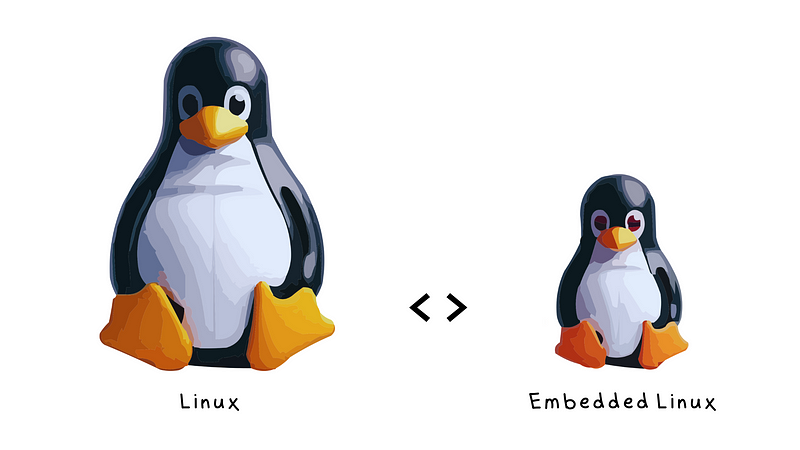
The most interesting aspect of embedded Linux is that you can use the same knowledge you gained using normal Linux on a desktop; you will just need to build on it and learn some tools to adjust Linux to run on embedded targets with limited resources.
Embedded Linux is the usage of the Linux kernel and various
open-source components in embedded systems.
Who is using Linux/Embedded Linux?
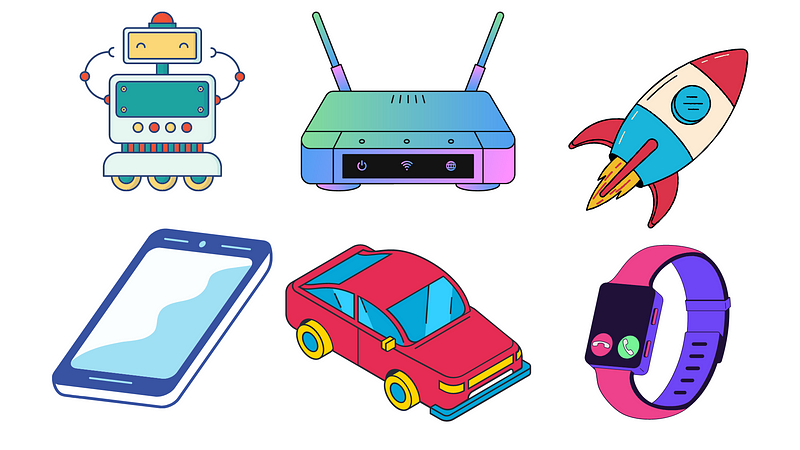
Modern embedded systems have increased in complexity, so there is a need for a high-level OS to handle those complex applications.
Linux is used in:
- Automotive: Tesla cars are powered not only by batteries but also by open-source software, and a lot of other OEMs use Linux either for an internal ECU, a telematic unit (for mobile connections), or infotainment systems.
Also, AGL (Automotive Grade Linux) is a very promising project. - In space: spaceX and others use Linux in space.
Read this article by the author How Embedded Linux is used in the outer space ! ep1 Spacecrafts - Mobile phones: Android has Linux in the core; every Android smartphone or tablet contains a Linux kernel, but it doesn’t use the standard Linux kernel and doesn’t follow a lot of open source rules.
- Robots: many modern robots use ROS, which is a meta-operating system layer on top of Linux.
- Servers, routers, 4/5G communication towers, smart TVs, smart fridges, washing machines, and much more!
All of that makes learning embedded Linux very rewording and important !
5 Topics to Start with Embedded Linux for Newbies
1- The Linux Command Line

In embedded Linux, you need to learn how to use the terminal because the terminal is the primary interface for interacting with the Linux operating system. Unlike graphical user interfaces (GUIs) found in desktop environments, the terminal provides a powerful command-line interface (CLI) that allows users to interact with the system at a much deeper level, and most of the embedded Linux systems will not have a GUI interface.
The most common CLI on Linux is Bash.
After getting familiar with the CLI, bash scripting is your way to go.
A “Bash script” is just a collection of bash commands that shall be executed in rows to achieve.
Important keywords to search for:
(Add “Linux” “terminal” to the search term
example: “Linux terminal wildcards”)
- Bash
- Navigating Files and Directories
- Pipes, Filters and redirection
- bash scripting
- grep
- sed
- vi editor
- wildcards
- find
- useradd
- built-in commands
2- The Linux filesystem
On a UNIX system, everything is a file; if something is not a file, it is a process.

Screenshot from Toy Story movie
Understanding the Linux file system, including directories, files, permissions, and file types, is essential for managing files in embedded Linux systems and for understanding the Linux philosophy.
It’s also important to know about the virtual file system (VFS) concepts that Linux implements and the pseudo filesystem that is used to view information about the running system.
Important Keyword to search for:
(Add “Linux” to the search term)
- File-system
- File system hierarchy
- Pseudo files
- Virtual File System
- Partition table
- Superblock
- File descriptors
- Inode
- Ext4
- FAT
- Loop device
- Mount
- MTD
- Device files
- Ramdisk
- Symbolic links vs hard links
3- Process management
A process is a running instance of a program.
Every running program in Linux is a process; learning how the processes are created and managed is a key to controlling the running system and monitoring its behavior.
Important Keyword to search for:
(Add “Linux” “process” to the search term)
- Foreground processes
- Background processes
- Daemons processes
- Orphan process
- Zombie process
- Processes life cycle
- Process Management
- PID and PPID
- The init process
- Signals
- Kill a process
- Niceness
- top command
- ps command
4- The Linux kernel
The Linux Kernel is the heart of the OS, which manages the core features of the OS. If some useful applications and utilities are added to the kernel, then the complete package becomes an OS.
Important Keyword to search for:
(Add “Linux” to the search term)
- Microkernel vs Monolithic
- kernel modules
- kernel versioning scheme
- kernel sources
- Building kernel
- User mode and kernel mode
- systemcalls
- POSIX
- strace
- Device tree (DTB, DTS and DTC)
5- Different build systems ( YOCTO/Buildroot)
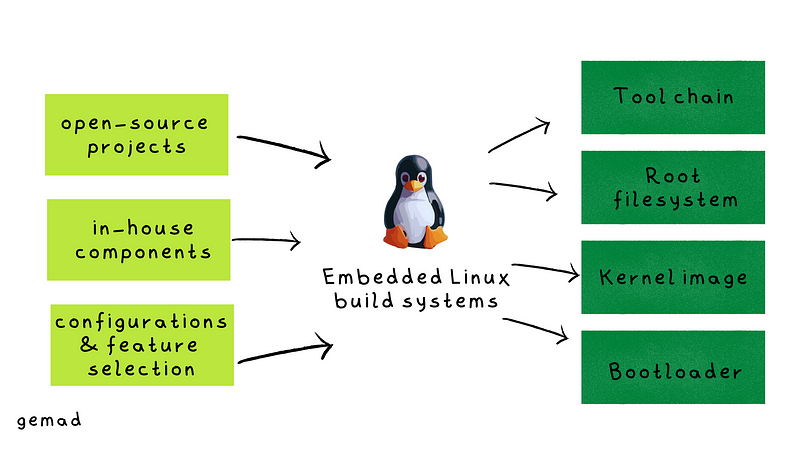
As we discussed before, in order to use Linux in embedded systems, it needs to be trimmed down and configured in order for it to be able to run on a target with small resources. We need only a specific set of fully featured Linux, and we also need our image to be reproduceable after doing any modification. That’s why we need a build system.
Yocto/OpenEmbedded
YOCTO is the de facto tool for building custom embedded Linux; it builds a complete Linux distribution with binary packages. Powerful, but somewhat complex, and quite steep learning curve.
Buildroot
**It builds a root filesystem image with no binary packages. Much simpler to use, understand, and modify is the KISS principle, **“Keep it simple, stupid!”
A lot of big names are using it such as :E.g.: Google — Tesla — GoPro(used to changed to YOCTO) — Rockwell Collins
Important Keyword to search for:
(Add “Linux” to the search term)
- Cross compilation
- Toolchains
- Compilers, GCC
- Make
- C-library
- Kernel headers
- Processor Architecture
- Toolchain Options
Conclusion
While these keywords provide a solid starting point for mastering embedded Linux, they only scratch the surface of this vast and interconnected domain. Embedded Linux encompasses a wide array of complex topics, reflecting its dynamic nature and relevance in today’s technology landscape. Embrace the journey of continuous learning, exploring beyond the basics to unlock the full potential of embedded Linux. Happy exploring!
In the comments below, feel free to share any additional topics you believe are essential for newcomers to embedded Linux.


